Has a Google core update hit your store?
How to tell a core update drop from a tracking problem, a site change or the time of year, with the dates of every 2026 core update.
Jump to a section 11 sections
Google started the November 2026 core update on 10 November, just over two weeks before Black Friday. If your traffic moves in the next month, the update will get the blame, and a lot of the time it won't deserve it.
TL;DR. Wait for the rollout to finish. Then check the drop started on the update's dates, and rule out your tracking, a site change and the season. Over Black Friday, compare with the same days last year and watch your average position, not your clicks.
How do I know if a Google core update hit my store?
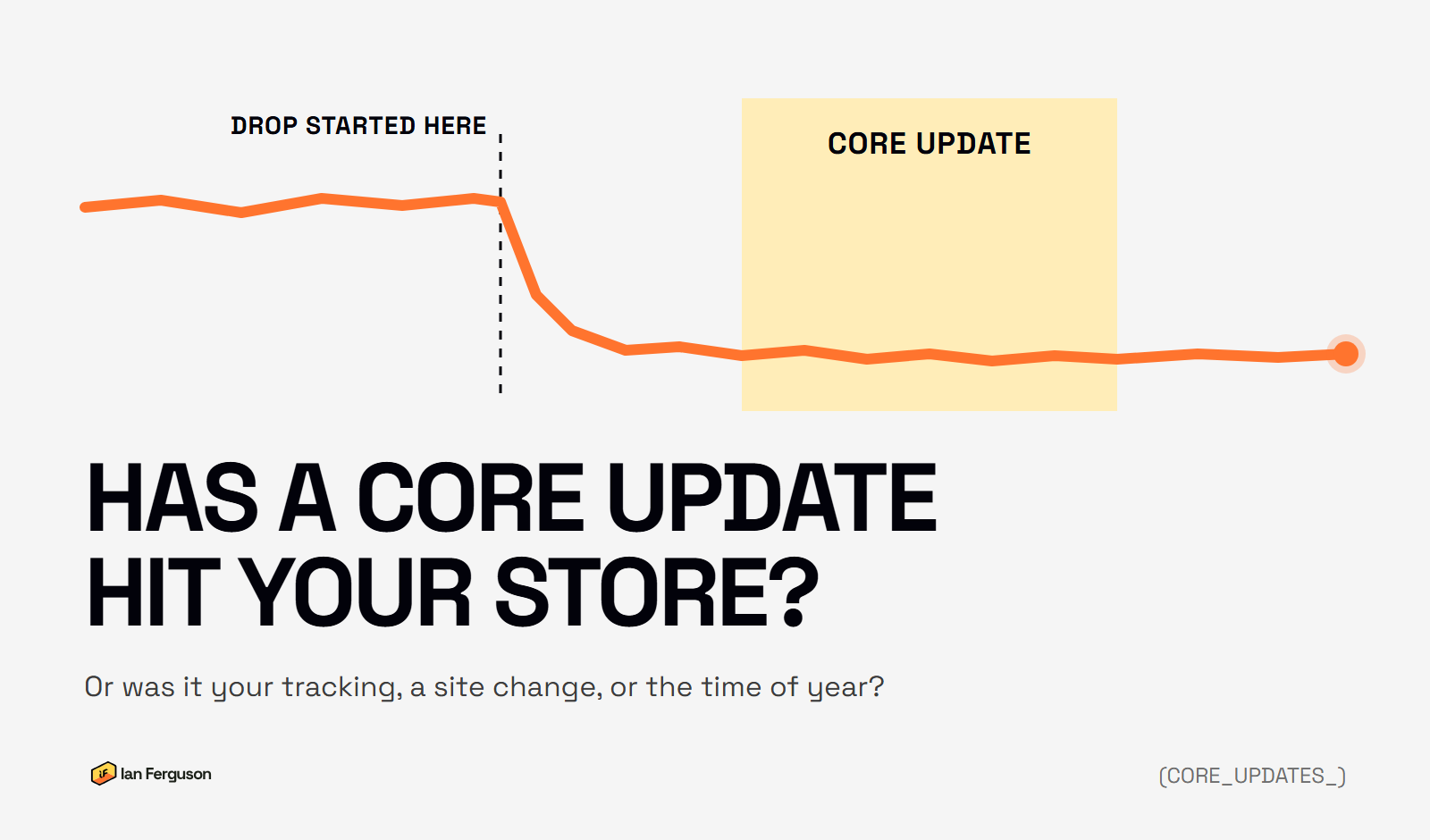
You can't tell from one chart. A core update drop, a broken tracking tag, a botched theme change and a quiet week all look the same on a line going down. What separates them is when the drop started, where it shows up and what else was going on.
So work through it in this order, and don't change anything until you have:
- Match the date against Google's update dates.
- Rule out your tracking.
- Rule out a change to your site.
- Rule out the time of year.
- See which pages dropped.
Google's own core updates guide says most sites "don't need to worry about core updates and may not even realize one has happened". That's worth holding on to whilst the forums fill up with people convinced they've been singled out.
When were the 2026 Google core updates?
Three so far this year, plus the one that ran through last Christmas, which matters if you compare against December. Dates are from Google's Search Status Dashboard, in UK dates.
| Update | Started | Finished |
|---|---|---|
| November 2026 | 10 Nov | Rolling out (up to 2 weeks) |
| May 2026 | 21 May | 2 Jun (12 days) |
| March 2026 | 27 Mar | 8 Apr (12 days) |
| December 2025 | 11 Dec | 29 Dec (18 days) |
Google also ran a Discover-only update in February and spam updates in March, June, August and September. Spam updates are a different thing with a different fix, which I've covered in how online shops break Google's spam policies.

What does the November 2026 core update mean for Black Friday?
It means your traffic is going to look strange for a few weeks, and two things will be moving it at once.
If the rollout takes the full two weeks, it finishes around 24 November. Black Friday is 27 November and Cyber Monday is 30 November. Google suggests waiting a week after an update finishes before you look, so your "after" week would start on 1 December, straight off the back of Black Friday and Cyber Monday. The "before" week, early November, had none of that.
That comparison will flatter almost any store that sells gifts, and tell you nothing about the update. So don't react mid-rollout: rankings jump about for the whole update, and things that dip in week one can come back in week two. When it's finished, compare like for like, which I cover under is it just the time of year.
Did the drop start when the update did?
Matching the date rules out more than any other check, and it takes two minutes.
Open the Performance report in Search Console, set the dates to cover a few weeks either side of the update, and look at clicks by day. If the drop started before the update did, it wasn't the update. If it started a week or more after it finished, probably not either.
One store I work with moved to a new platform in November 2025. Its Search Console line fell sharply in the middle of that month, and the December core update started three and a half weeks later, right as the line bottomed out over Christmas. Looking at December on its own, you'd have blamed Google. But the line went down before Google did anything. It was the migration, and the recovery work on the migration is what brought most of it back.
How to check: set Search Console to the last 3 months, tick Average position as well as Clicks, and look for the day the line bends. Then hold it up against the dates above.
Is it your tracking, not your traffic?
If the drop is in GA4 and not in Search Console, it's almost certainly tracking. Search Console counts clicks from Google's own side, so a broken tag on your site can't touch it.
The usual causes on a store:
- A theme change or new theme that dropped the GA4 tag, or added a second one.
- A new cookie banner, or a change to an existing one, so fewer visitors are recorded.
- Someone changing how GA4 is connected to Shopify, so data comes in twice, or not at all, for days or weeks.
- Changes to how GA4 groups traffic, so "Organic Search" shrinks and another channel grows. I've written about the AI Assistant channel, which moved some visits around this year.
And check the till before anything else. If orders and revenue in Shopify's own reports haven't moved, a scary line in GA4 is a reporting problem first.
How to check: put three numbers side by side for the same weeks: clicks in Search Console, organic sessions in GA4, and orders in Shopify. If only one of them dropped, that's where the problem is.
Did something change on your site?
Most of the drops I'm asked to look at started with something the business did, not something Google did. It's rarely obvious at the time, because the person who made the change didn't think it touched SEO.
- A migration or a new theme. Old addresses not redirected, products moved, category pages lost. The Shopify migration mistakes post covers the common ones.
- Pages hidden from Google by accident. A "noindex" left on from a staging site, or a setting in an SEO app switched on across a whole section.
- Collections or products deleted or renamed without a redirect, often in a range tidy-up.
- A best seller out of stock. One product page that earned a big share of your clicks going quiet can look like a site-wide drop.
- An app that changed your pages, such as a filter, search or translation app that created thousands of new addresses.
How to check: write down every change to the site in the month before the drop: themes published, apps added or removed, products or collections deleted, menus rebuilt. Shopify's theme library shows when each theme was last saved. Then open Search Console's Pages report and see whether the number of indexed pages fell around the same time.
If the drop lines up with a new site going live, it's a migration problem, and that has a fix. It's what my post-migration SEO recovery work is for.
Is it just the time of year?
Seasonality is the one that catches people out in November.
Google's suggested comparison is the week before an update against a week after it finished. I ran exactly that across the 18 sites I can see in Search Console, almost all of them online shops, for each of the last three core updates.
- December 2025: five went down and thirteen went up. Seven moved by more than 40% one way or the other.
- March 2026: eight down, ten up. One moved by more than 40%.
- May 2026: eleven down, six up, none by more than 40%, plus one that looked like it had dropped to nothing because Search Console had a five-week gap with no data at all.
Same method each time. What was different about December was the calendar: the week before was early December and the week after was the second week of January, so it measured Christmas, not Google. That gap in the data is worth remembering too. A comparison tool will read missing days as zero.
How to check: compare with the same days last year. Search Console keeps 16 months, so last November is still there. Line up the same weekdays (a Saturday against a Saturday), because a store's weekend can look nothing like its Tuesday. Then look at average position on your main searches. If impressions fell but your position held, people are searching less, and your rankings are fine.
Did the whole site drop, or one type of page?
Drops rarely land evenly across a store, and where they land tells you what to look at.
On Shopify the address tells you the page type, so you can split it in Search Console. In the Performance report, click Add filter, choose Page, and filter by URLs containing /products/, then /collections/, then /blogs/, and compare each one across the same dates.
- Blog only: often answer-type searches that Google now answers itself in AI Overviews. Fewer blog visits isn't always fewer sales, so check what those pages actually sold before you cut anything.
- Collections only: often thin category pages with the same products as their neighbours, which is a quality problem.
- Products only: often stock, prices or copied supplier descriptions.
- Everything, evenly: more likely a site-wide issue: tracking, a migration, or the update itself.
Google also suggests looking at search types separately (the Search type filter at the top of the Performance report). A drop in Google Images is a different conversation from a drop in web search.
What should you do if a core update did hit you?
If you've ruled out tracking, site changes and the season, and the dates line up, Google's guide says where to start.
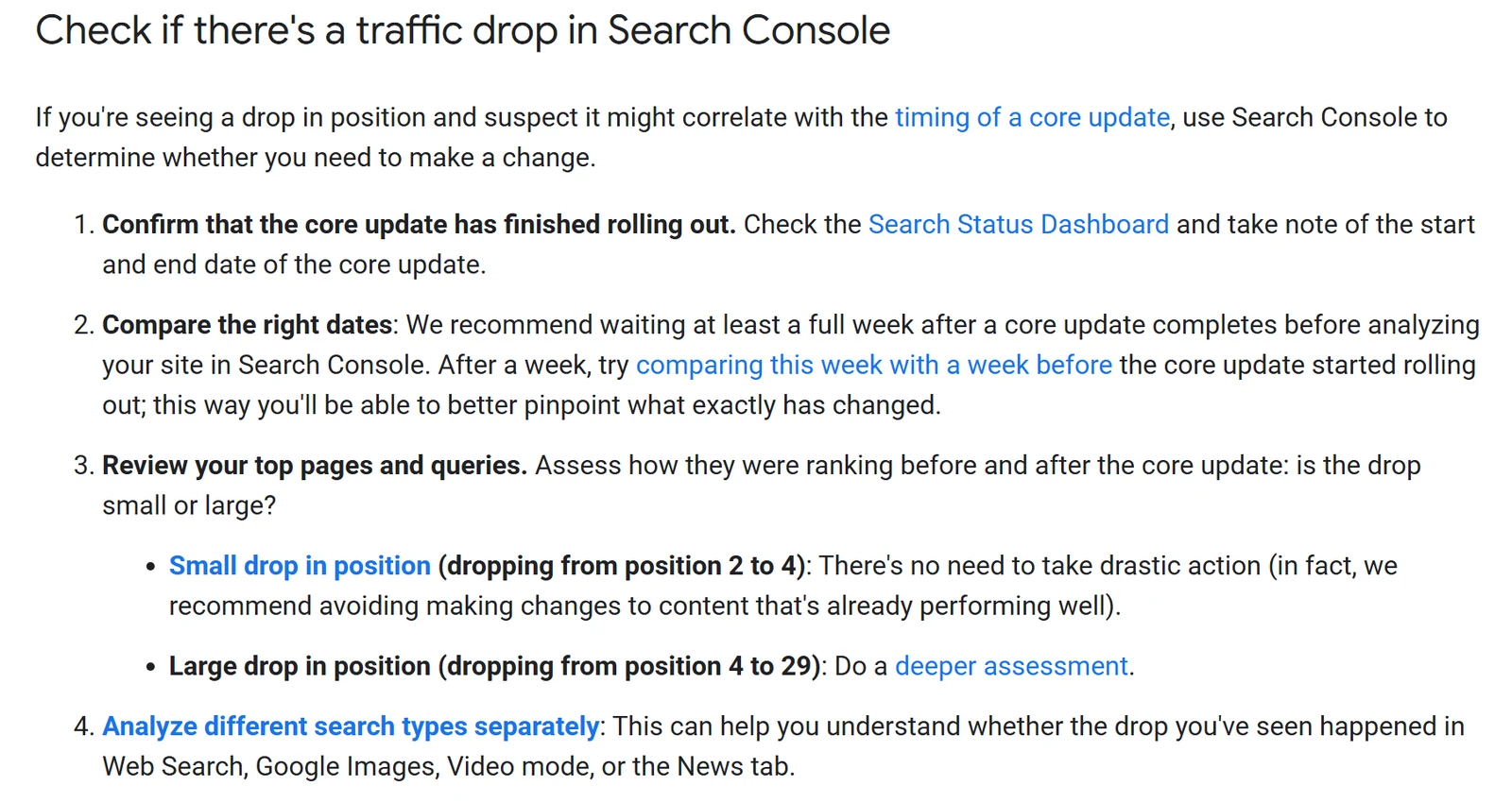
A small drop, like position 2 to 4: Google says there's "no need to take drastic action", and recommends against changing content that's already performing well. Leave it.
A big drop, like 4 to 29: go through Google's self-assessment questions for the pages that fell furthest, and be honest about whether someone else's page does a better job for the shopper. Ask someone who doesn't work for you to look too.
What not to do:
- No quick fixes. Google warns against removing things "because you heard it was bad for SEO". Rewriting fifty category pages with AI in a weekend counts.
- Don't delete in bulk. Google calls deleting content "a last resort". Thin collections can be merged, or hidden from Google with a noindex (your developer or your SEO app can set it), without losing what's good on them.
- Don't expect it back next week. Google says improvements can take "several months" to show, and sometimes not until the next core update.
The core update check: questions to answer before you change anything
Run through these once the rollout has finished. Each one is worded so that yes points towards the update. A no points somewhere else, so start there.
The dates
- Has Google marked the update as finished on the Search Status Dashboard?
- Did the drop start after the update started, not before it?
Your tracking
- Did Search Console clicks fall, not just GA4?
- Have Shopify orders from the same weeks actually dropped?
Your site
- Was the site, theme or a key app unchanged in the month before the drop?
- Has the number of indexed pages in Search Console held steady?
The season and the pages
- Is it still down against the same weekdays last year?
- Did average position fall, not just clicks or impressions?
- Do you know which page type dropped most?
Yes to all of them, and it's worth a proper look at the pages that fell.
Questions I get asked
How long does a Google core update take? Google gives an estimate with each one, usually up to two weeks (it said three for December 2025). Both 2026 updates so far finished in about 12 days.
Is a core update a penalty? No. Google says core updates "don't target specific sites or individual web pages", and there's no notice in Search Console. A manual penalty does come with one, under Manual actions.
When will I recover from a core update? If you've genuinely improved the pages that fell, Google says it can take months, and sometimes until the next core update. There have been three a year lately.
Should I stop work on the site during an update? No. Keep doing the normal work. Just don't make big changes as a reaction to what you see mid-rollout.
My traffic went up. Was that the update? Maybe. Run the same checks. Rises get blamed on updates less often, but a tracking fix or a busy season can look just as good on a chart.
If you run an ecommerce store and want more of this once a week, that's what Ecommerce Prioritised is for.

Written by
UK-based ecommerce SEO consultant, helping online shops with the technical SEO and content that drive organic growth.
Get the next one in your inbox
Ecommerce Prioritised is a free weekly read on growing an ecommerce store: what to prioritise, what to ignore, and the changes worth acting on.
Filed in Google & Shopify updates
Share LinkedIn