Has a Google spam update hit your store?
How online shops break Google's spam policies without meaning to, and a quick check to see where yours stands.
Jump to a section 18 sections · 12-question check
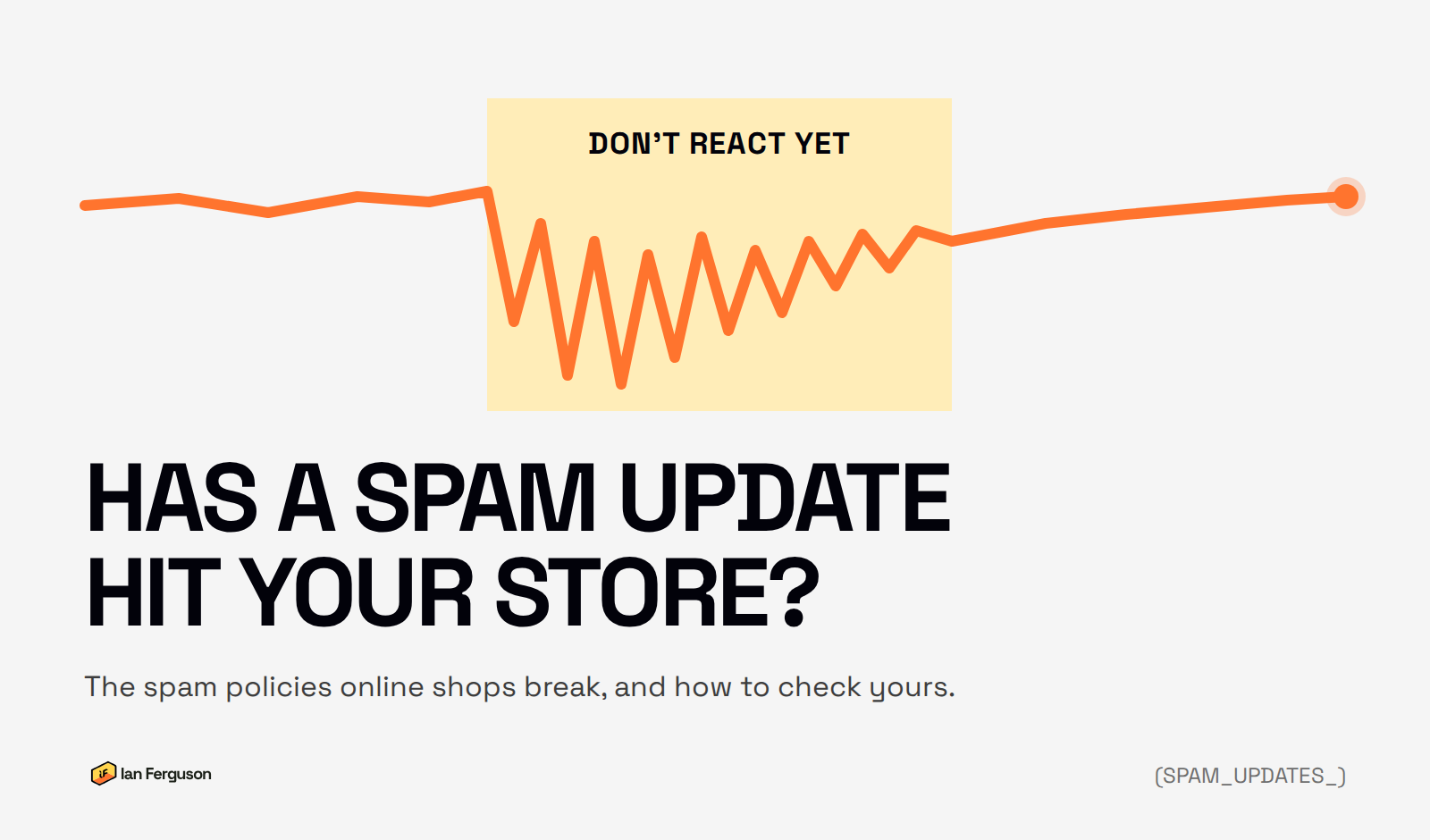
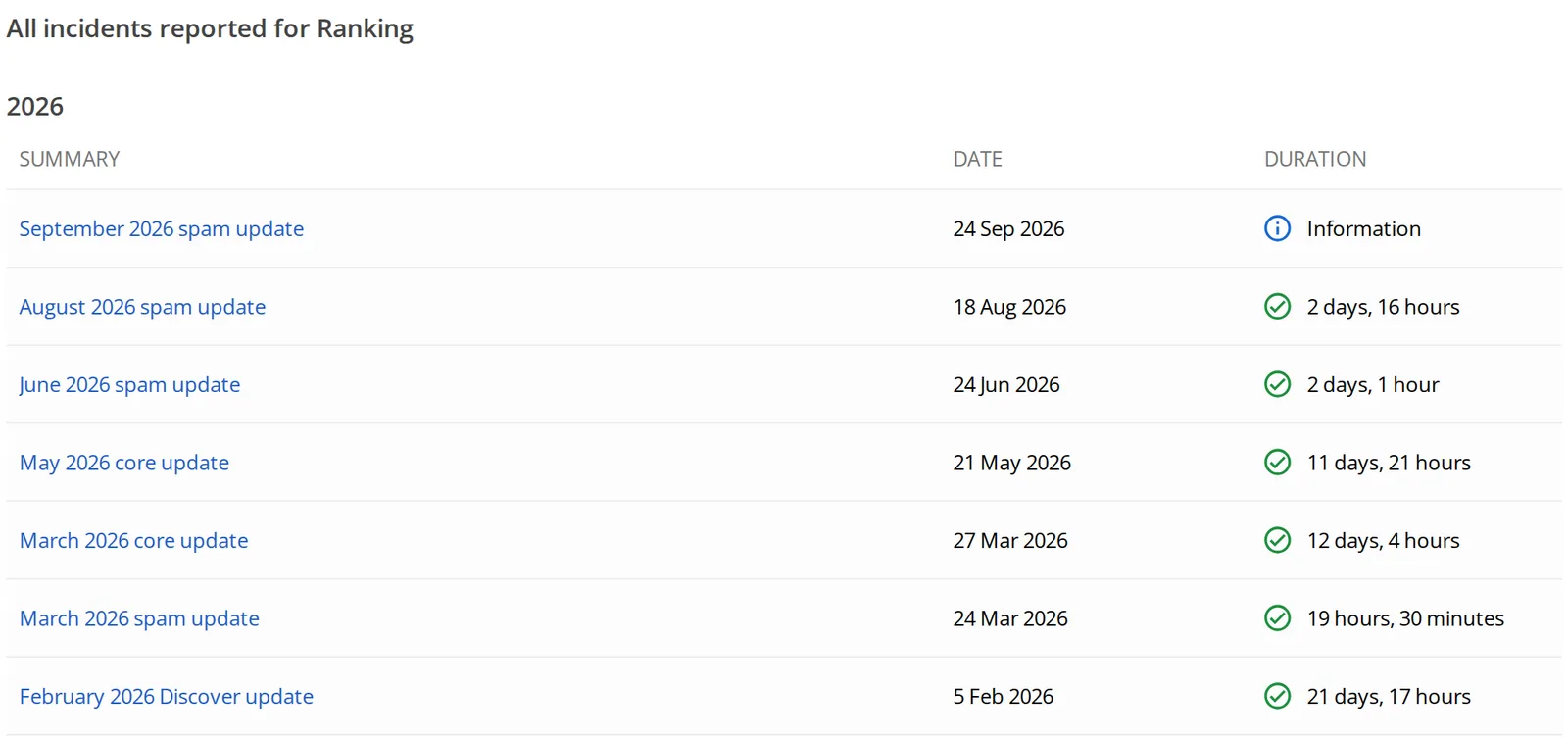
Google runs spam updates a few times a year. There have been four in 2026 so far, and the latest started on 24 September. If your traffic's dipped around one of them, you'll want to know whether it's you.
TL;DR. Check Search Console for a penalty or a security warning, then see whether your drop lines up with an update. If it does look like spam, it's usually bought links, pages made for Google rather than shoppers, stuffed copy, pages someone else has added to your site, or an app messing with the back button. The check further down covers the lot. Fix it properly and expect recovery to take months, not days.
How do I know if a spam update hit my site?
Rule things out in this order before you change anything:
- Check Manual actions in Search Console. If someone at Google has penalised your site, it says so here. No message means no manual penalty, though it doesn't rule out the automated kind.
- Check Security issues. Hacked pages count as spam too, and they need a different fix.
- Match the date. Google lists every update on its Search Status Dashboard. If your drop started a week before an update, it wasn't the update.
- See what dropped. A drop on the blog, or on one type of page, tells you far more than a drop across the whole site.
- Rule out the boring stuff. A tracking change, a new theme, a migration, the season or a best seller going out of stock all look like an algorithm hit on a chart.
A manual penalty comes with a notice and a way to ask for a review once you've fixed it. An automated hit comes with nothing. The site just ranks lower until Google decides it's clean, which Google puts at "a period of months".
When were Google's recent spam updates?
Every confirmed spam update since March 2024, plus two policy changes that matter for online shops. Dates and durations are from the Search Status Dashboard.
- 5 March 2024 · March 2024 spam update
Came with three new policies, including scaled content abuse. About 15 days. - 20 June 2024 · June 2024 spam update
About 7 days. - 19 December 2024 · December 2024 spam update
About 7 days. - 26 August 2025 · August 2025 spam update
The long one: nearly 27 days. - 24 March 2026 · March 2026 spam update
Under a day. - 13 April 2026 · Back button hijacking added
Enforced from 15 June 2026. More on it below. - 24 June 2026 · June 2026 spam update
About 2 days. - 18 August 2026 · August 2026 spam update
About 3 days. - 24 September 2026 · September 2026 spam update
Google says it "may take up to two weeks".
Orange dots are spam updates, yellow are policy changes. That's four in six months this year, so it's a question you'll be asking more often.
What does Google count as spam?
Most of the online shops I see with spam problems never set out to spam anyone. They bought a link package off a freelance site, installed an app to win back visitors, or let their own search pages get indexed. Nobody would have called it spam, and all of it can be.
It doesn't always come with a label either. I've audited plenty of stores that had never been flagged but were clearly being held back by thin pages, bloated copy and pages made for a keyword rather than a customer.
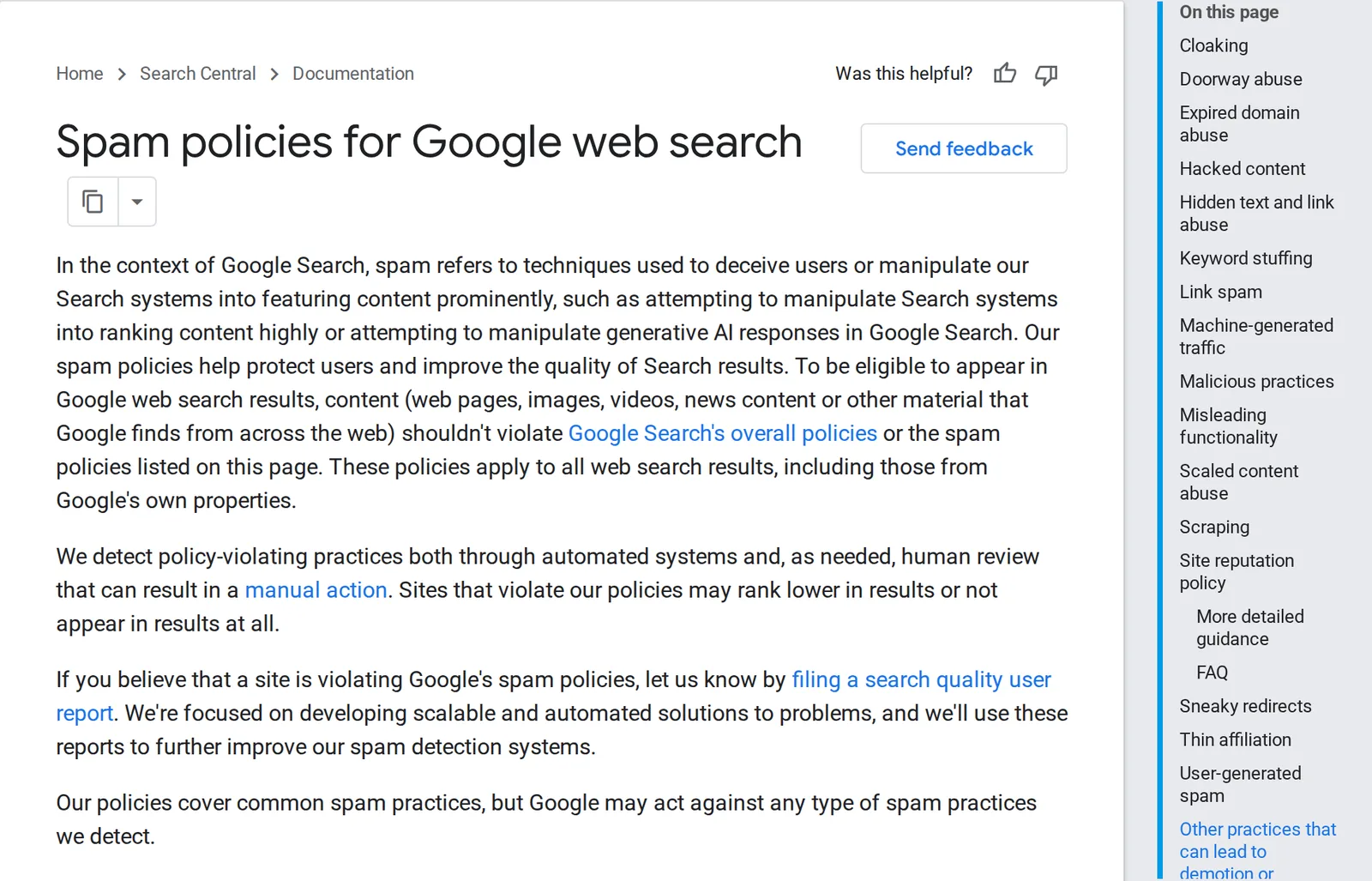
Google lists about twenty spam policies. These are the ones that catch retailers:
- Link spam: links bought, swapped or built to game rankings.
- Doorway pages: lots of near-identical pages built to catch searches.
- Scaled content: pages churned out in bulk, by AI or anything else, that add nothing.
- Scraping: someone else's content republished with nothing added.
- Keyword stuffing and hidden text: words aimed at Google that shoppers can't see or wouldn't want to read.
- Hacked content and user spam: spam someone else put on your site, which is still your problem.
- Malicious practices: which now includes messing with the back button.
- Cloaking: showing Google one thing and people another.
Buying links, and the versions that don't look like buying
This is the big one for ecommerce, and has been for fifteen years.
In 2011 the New York Times worked out why J.C. Penney ranked first for "dresses" and "Samsonite carry on luggage" all through Christmas: thousands of links from unrelated sites, nuclear engineering and Bulgarian property among them. Once Google stepped in, "Samsonite carry on luggage" dropped from first to 71st in about two hours (The Drum has the detail).
Closer to home, Interflora vanished from Google UK for about eleven days in February 2013, even for its own name, after around 150 paid articles ran on regional newspaper sites before Valentine's Day (Search Engine Watch).
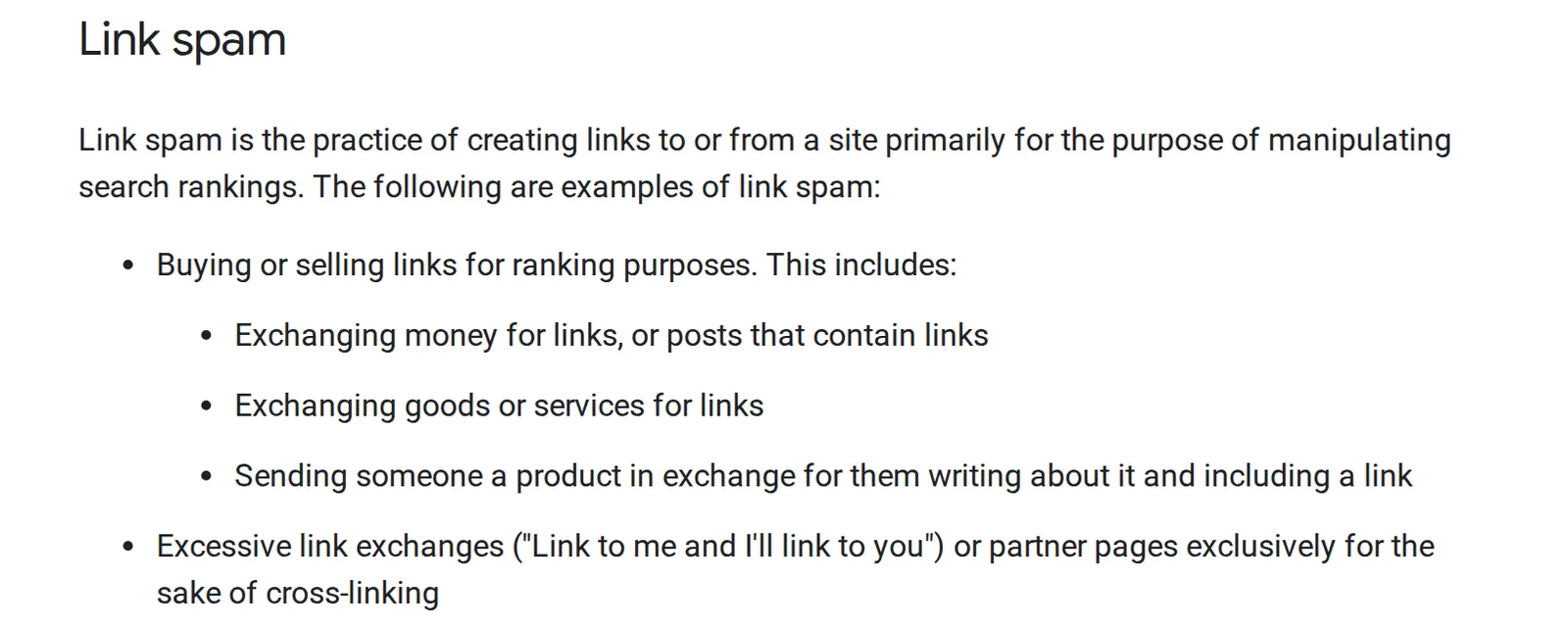
Nobody calls it buying links now. It's a "PR package", "guest post outreach", 100 links for a few quid on a freelance site, or "link building" on an agency invoice. Google treats them all the same.
The fix: paid placements are allowed if the link is marked as sponsored. Google's guide covers how, and it's a two-minute job for whoever places it. If you've inherited a link package, ask whoever built it for a full list of the links before you do anything else.
Swapping products or discounts for links
Ecommerce has a version of link buying where no money changes hands, which is why stores miss it.
In 2011 Overstock gave university students and staff discounts in return for links from university websites. Google penalised it for about two months, and Overstock said revenue fell 5% as a result (TechCrunch).
Google's policy now names it outright: "sending someone a product in exchange for them writing about it and including a link". Gifting to bloggers for a link counts, and so does a discount code swapped for one.
The fix: gifting's fine, and often worth doing. Ask for the link to be marked as sponsored and for the post to say it was gifted, which UK advertising rules expect anyway. You still get the coverage and the traffic.
Buying old sites and redirecting them
Some stores buy an established site in their niche and redirect it into the shop, so its links come across.
I worked with a fish supplies store that had done exactly this with an old fishkeeping forum. Good site in its day, and bang on topic. But nobody was looking after it, it had filled up with spam links, and all of that was being passed straight to the store. We took the redirect off. The number of links dropped, as you'd expect, and the traffic that actually buys went up.
The fix: only keep a site you've bought if it's worth running in its own right.
Pages made for Google, not shoppers
This is where most ecommerce spam problems live now, and AI has made it much easier to wander into. In a store it looks like:
- "Garden furniture delivery in Leeds", then Bradford, then York, four hundred times over, each the same page with the town swapped.
- Thousands of filter combinations ("blue", "blue linen", "blue linen under £50") showing up in Google as pages nobody would browse to.
- A new category page for every keyword in a spreadsheet, each with an AI-written intro and the same twelve products.
Google's policy is aimed at "many pages without adding value". Using AI isn't the problem, pages nobody needed are. Glenn Gabe's case studies from the August 2026 update include sites hit for exactly this. They weren't shops, but a store building category pages from a keyword list is doing the same thing.
The fix: ask whether you'd build the page if Google didn't exist. If a category only exists because a keyword tool said so, and has the same products as its neighbours, merge it or hide it from Google. For filter pages, Google's own advice is that there's often "no good reason" to let it crawl them at all. My free low-quality category page checker finds the empty and near-empty categories in a couple of minutes.
Copying supplier and manufacturer content
Using the manufacturer's description isn't spam on its own. Hundreds of stockists do it, and Google mostly just picks one version to show. You'll struggle to outrank the brand, but that's a quality problem, not a policy breach.
It becomes spam when a whole store is someone else's content with nothing added, like a dropshipping store that imports 20,000 products straight from a supplier, words and photos untouched. Running the supplier's copy through AI to reword it doesn't get you out of it either: Google's rater guidelines treat paraphrased content the same as copied.
The fix: start with the products that make you money. Add your own photos, a sizing note, the questions customers ask. That's what a supplier feed can't give anyone else.
Keyword stuffing and hidden text
Of everything on this list, keyword stuffing is the one I find most, by a distance.
Some of it's old habits, like filling in the meta keywords field, which Google's ignored for years. More of it now comes from AI-written category copy. Google's own example is a paragraph that says "unlimited app store credit" in almost every sentence. Swap in "women's waterproof walking boots" and you've got half the AI category intros out there.
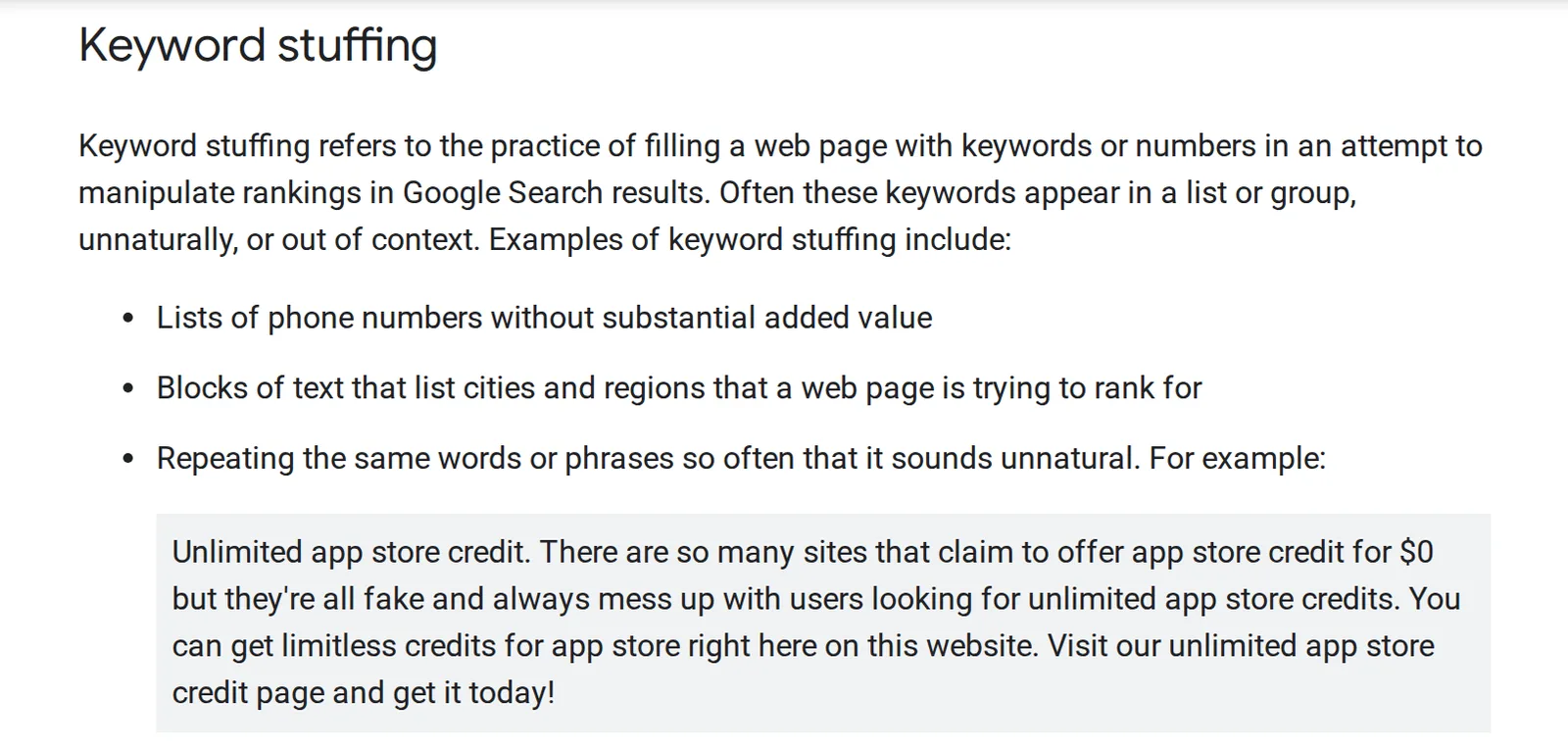
Google also calls out "blocks of text that list cities and regions", which is the "we deliver to Leeds, Bradford, York…" paragraph at the bottom of a category page.
Google's rater guidelines have a name for this: filler, which "can artificially inflate content, creating a page that appears rich but lacks content website visitors find valuable".
On every site where I've cut category copy down to something shorter and more useful, average positions have improved afterwards. With so much changing on a live site I can't pin it on that alone, but it's happened too often to be a coincidence.
Hidden text is the older cousin: white text on a white background, or text pushed off the screen. "Read more" toggles and tabs are fine, which is good news if your specs and FAQs sit in tabs. The line is whether a shopper can open it.
The fix: read your category copy out loud. If it sounds like it was written for a robot, cut it down and rewrite it for a person.
Hacked content you haven't spotted
Hacked content is rare on Shopify, because Shopify looks after the hosting. It's far more common on WordPress and WooCommerce, where an out-of-date plugin is an open door.
What I usually find is a batch of blog posts nobody at the business wrote, almost always about casinos or betting, sitting there for months. Search Console often doesn't flag them, so nobody notices.
The fix: ask whoever looks after your site to crawl the whole thing and check every page against what you've actually published. Then update every plugin and change the passwords.
When your own search pages become spam pages
This one surprises store owners most, because they didn't do anything.
Spammers link to your store's search results with their own words in the link. Google follows it, finds a page on your site showing their words, and sometimes adds it to its results. Do that thousands of times and your site's full of pages advertising someone else.
Plenty of Shopify stores were hit this way. One Shopify Community thread about it ran to hundreds of replies, and another was full of store owners convinced they'd been hacked.
The fix: ask your developer to stop your search pages (and, on Shopify, empty vendor pages) from appearing in Google. Barry Hunter, one of Google's volunteer experts, has a good guide to pass on to them.
Apps that hijack the back button
This is the newest item on the list and the most ecommerce-specific. In April 2026 Google added back button hijacking to its spam policies, enforced from 15 June. It's when pressing back doesn't take you back: you land on a page you never visited, or get shown an offer instead.
You'll recognise it as "win back leaving visitors" features. One Shopify app's listing says it lets you "take over the back button in the browser and redirect visitors". Exit offers aren't the problem. Messing with the back button to show one is.
Google's announcement says it can come from the tools and ad platforms a site uses, not just the site itself. Either way, it's your site that pays for it.
The fix: on your phone, search Google for one of your products, tap through to your site, then press back. You should land back on Google. If you don't, turn your apps off one at a time until you do.
Showing Google something different
Cloaking means showing Google a different page to the one people see. In 2006 Google dropped BMW's German site from its results for exactly that (Computerworld).
Few stores do it on purpose now. When it happens it's usually an accident, like a service that shows Google an old version of a page, or a hacked script that only redirects people arriving from Google. Sending visitors to the right country's site is fine, as long as Google gets treated like any other visitor.
The fix: ask your developer to compare what Google sees (Search Console's URL Inspection tool shows it) with what you see on your phone.
Fake and incentivised reviews
Strictly this falls under Google's rules for review stars rather than its spam policies, but the result's the same: a penalty in Search Console and your stars gone from the results.
Google's review guidelines rule out "fake or undisclosed incentivized reviews", which means reviews given in return for money, discounts or free products without saying so.
In the UK there's a bigger reason. Fake reviews have been illegal under the Digital Markets, Competition and Consumers Act since 6 April 2025, and businesses are expected to take steps to prevent them.
The fix: only show reviews that are real, and label any that came from a freebie or a discount.
Selling space on your blog
If your store's been around a while, you'll have had the emails: "we'd love to publish a sponsored article on your blog, $150". Casino, CBD and loan sites buy these because an established store's reputation helps their rankings.
Google calls it site reputation abuse. A garden centre's blog hosting a post about online casinos is exactly that, and the link in it is a paid link too.
The fix: say no. If you've already said yes, take the posts down.
The Google penalty check: 12 questions to ask about your store
No tool can tell you for certain whether your store breaks a spam policy, whatever the "penalty checkers" say. So here are twelve questions instead. Be honest: the score shows how much there is to look at, and each answer links to the section that explains it.
Links
- Have you ever paid anyone for links, "guest posts" or a "link building package"?
- Have you given free products or discount codes to a blog or website in return for a link?
- Have you ever bought another website and pointed it at your store?
Pages and content
- Do you have lots of near-identical pages where only the town or product name changes?
- Have you added pages in bulk, with AI or a template, that nobody's read all the way through?
- Are most of your product descriptions copied straight from the supplier?
- Does the text on your category pages repeat the same phrase over and over, or list lots of towns?
Apps and your site
- Have you installed an app that shows an offer or redirects people when they try to leave?
- Have you found pages on your site that nobody on your team wrote?
- Have you seen your site in Google with pages about casinos, crypto or anything else you don't sell?
Reviews and your blog
- Have any of your reviews been written by staff, bought, or given in return for a freebie without saying so?
- Have you been paid to publish someone else's article on your blog?
How do you recover from a spam update?
It depends which kind of hit you've had.
If it's a manual penalty, fix everything the notice mentions, note what you did, and ask for a review from the Manual actions report. Be thorough first. In one Google forum thread, someone who'd only disavowed their bad links was told that wouldn't be enough: Google wants to see a real effort to get them removed. Reviews take days or weeks, sometimes longer.
If it's an automated hit, there's nothing to submit. You fix the problem and wait for Google to notice, which takes months. Two things worth knowing:
- Links Google ignores don't come back. In Google's words, "any ranking benefit the links may have previously generated for your site is lost". If your rankings were built on bought links, you'll have to earn what those links were pretending to be.
- Don't panic-edit during the rollout. Rankings jump about for the whole update, and a rushed batch of AI rewrites is exactly what these updates go after.
Should you still use the disavow tool?
The disavow tool is how you tell Google to ignore links, and Google's gone cold on it. John Mueller has said "At some point, I'm sure we'll remove it".
My view: most of the spam links pointing at any store are safe to ignore, and Google knows they're junk. But if links were built on purpose, especially if you once bought 100 of them off Fiverr, I'd still disavow them. It costs nowt and it's one less thing to wonder about.
Questions I get asked
Are AI-written product descriptions spam? No. Google cares whether a page helps the person reading it, not what wrote it. The trouble starts with thousands of pages nobody checked. An AI first draft edited by someone who knows the product is fine.
Will Search Console tell me if a spam update hit me? Only if it's a manual penalty. An automated hit just shows up as a drop that lines up with an update date.
How long does recovery take? Days or weeks for a manual penalty, once Google reviews it. Months for an automated hit.
Can a competitor get my store penalised? It's much rarer than people think. The more likely problem is something on your site that someone else can use, like your search pages.
If you run an ecommerce store and want more of this once a week, that's what Ecommerce Prioritised is for.
Written by
Ian Ferguson
UK-based ecommerce SEO consultant, helping online shops with the technical SEO and content that drive organic growth.
Get the next one in your inbox
Ecommerce Prioritised is a free weekly read on growing an ecommerce store: what to prioritise, what to ignore, and the changes worth acting on.
Filed in Google & Shopify updates
Share LinkedIn