WooCommerce to Shopify migration: the SEO problems that are specific to WooCommerce
Jump to a section 11 sections
WooCommerce stores catch people out, and it's nearly always the same way. Everyone protects the shop, because the shop is what the build is for. Then the traffic drops and it turns out most of it was coming from the blog.
The generic risks apply here as much as anywhere: redirects left until after launch, architecture rebuilt in the same release as the platform change, staging left indexable. They're written up in the Shopify migration mistakes that cost you organic traffic. This is what's specific to leaving WooCommerce.
TL;DR. On a WooCommerce site the blog usually carries more organic traffic than the shop, and Shopify's blog is a weaker tool, so protect the posts first. Nested categories flatten, Yoast or RankMath metadata sits in a plugin table that doesn't export with the products, page-builder content arrives as markup, and the redirect map you already have lives in a plugin. Pull all four out before the build starts.
The blog is usually the thing carrying the traffic
WooCommerce stores are WordPress sites that happen to sell things, and that history shows up in the search data. Years of posts, buying guides, how-tos, seasonal content. A lot of it written well before anyone thought of the site as an ecommerce site at all.
On plenty of Woo stores that content is most of the organic clicks. Not most of the revenue, the product pages usually win that. But most of the traffic, most of the top of funnel, and most of the links.
And it gets treated as an afterthought, because it isn't the shop.
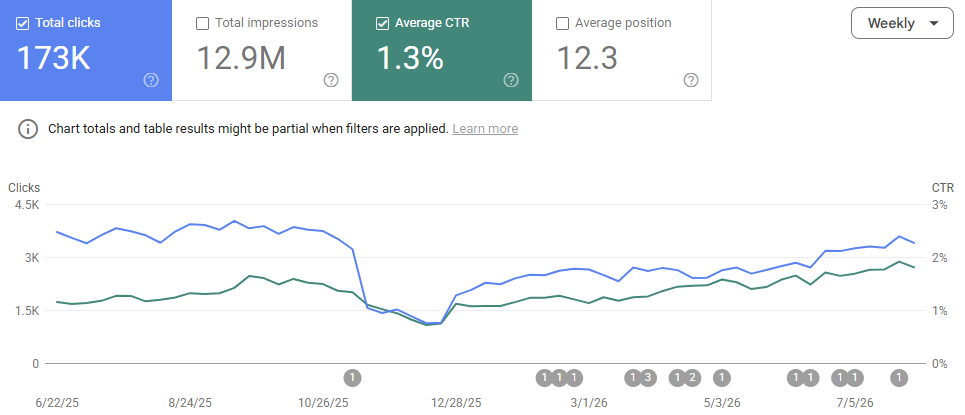
So before anything else gets decided, split twelve months of Search Console by directory. What share of clicks comes from blog paths, what share from /product-category/, what share from /product/. That one number should set how the SEO effort on the project gets divided, and on a Woo site it usually points somewhere the build team isn't looking.
Shopify's blog is missing three things WordPress gave you
This is the part that catches people, because "we're moving the blog across" sounds like a solved problem.
The URL shape changes, not just the prefix. Shopify blog posts live at /blogs/<blog-handle>/<post>. Whatever your WordPress permalink was, /2019/03/post-name/, /blog/post-name/, or a bare /post-name/, it gains a segment you don't get to remove. Every post URL changes.
Category and tag archives largely stop existing. WordPress category and tag archives often rank in their own right, and they're usually doing a lot of the internal linking that holds a topic together. Shopify's nearest equivalent is /blogs/<handle>/tagged/<tag>, which plenty of themes noindex, which you've far less control over, and which doesn't behave like a WordPress archive.
Author archives, date archives and native pagination don't carry across. Mostly that doesn't matter. Occasionally an author archive is doing real E-E-A-T work for a site built around a named expert, and that's worth knowing before it disappears.
The rule I'd use: for every archive URL earning clicks, make a deliberate decision. Either build a proper page or collection that replaces it and redirect there, or accept the loss knowingly. What you can't do is let it default to a 404 because nobody classified it as content.
The category tree flattens
WooCommerce supports nested product categories, so you get /product-category/womens/knitwear/ and paths three or four levels deep. Shopify collections are flat. Every collection is /collections/<handle>, and that's that.
The URLs are the easy part. The hard part is that the hierarchy was doing work. It grouped things topically, it drove breadcrumbs, and it generated internal links between parent and child categories automatically. Flatten it and all of that has to be rebuilt by hand in the navigation and in on-page linking, or it simply isn't there any more.
This is also the exact moment somebody suggests merging the thin categories whilst you're in there. Usually a reasonable idea, definitely the wrong release for it. Rebuild what you had inside Shopify's constraints, launch, then improve it deliberately with a baseline to measure against.
One more: the /shop/ base page. It often ranks for broad category terms, it's got no natural Shopify equivalent beyond a catch-all collection, and it gets forgotten because it isn't a category and isn't a page.
Your SEO metadata lives in a plugin's database table, and it doesn't export
Yoast and RankMath store titles, meta descriptions, canonical overrides, per-URL noindex flags and social metadata in WordPress postmeta. None of that's in a standard WooCommerce product CSV export, and none of it's in the migration tools' default field mapping.
Which is how a migration can move every product across correctly, pass every URL check, and still go live with auto-generated titles on the entire catalogue. Including the pages where someone spent real time getting the title right.
Export it deliberately, as its own file, and treat it as content rather than settings. Worth checking the per-URL noindex flags specifically too: sites accumulate deliberate exclusions over the years, and re-indexing a set of pages that were hidden on purpose causes its own problems.
Page-builder content arrives as text that looks like content
Elementor, WPBakery, Divi and to a lesser extent Gutenberg all store page content as markup, shortcodes or block comments rather than clean HTML. Run a naive export and you get Shopify pages full of [vc_row], or the copy stripped of its layout and reassembled in the wrong order.
This is the version of "the content made it across" that passes a row count and a URL check and fails the moment a human looks at it. And because it passes the automated checks, it can sit there for weeks.
Spot-check the top twenty pages by clicks as rendered HTML, not as database rows. Takes half an hour and it costs nowt, and it's the highest-value half hour in the whole content workstream.
The schema graph gets much smaller
Yoast and RankMath emit a fairly complete schema graph as standard: Organization, WebSite, BreadcrumbList, Article, Product with offers, and often FAQ or review markup contributed by other plugins.
Shopify themes vary enormously and generally emit less. Review markup in particular depends entirely on which review app you land on, and if you're currently earning star ratings in the SERP, those are visible to customers in a way most SEO changes aren't.
So inventory the rich results you actually earn today before launch, and rebuild the ones that show up in search rather than the full list.
There's already a redirect map, and it's in a plugin
Most WooCommerce sites of any age have a Redirection plugin, or rules in .htaccess, carrying hundreds of redirects from earlier changes. An old category structure, a rebrand, a product range that moved. Those rules die with WordPress.
Export them, flatten each chain to its final destination, and fold them into the new map alongside the live URLs. Skip it and every URL that had already been redirected once quietly becomes a 404 on launch day. Which are, by definition, URLs somebody once thought were worth saving.
Attribute and filter URLs
WooCommerce generates ?filter_colour=, ?orderby= and attribute archives at /pa_<attribute>/. Most of it's noise and should never have been indexable. Occasionally one of them is earning. Check rather than assume, same as with Magento's layered navigation, except on Woo it's usually a handful of URLs rather than thousands.
What this means for how you scope the work
WooCommerce migrations tend to be smaller than Magento ones, and there's a fair temptation to treat them as low-risk on that basis. The catalogue side usually is. The content side usually isn't, because the blog archive is bigger, older and better-linked than anyone on the project expects, and it's the part with no owner.
Put the effort where the clicks are. On most Woo sites that means the blog gets the same rigour the product catalogue gets, and the archive pages get classified as content rather than furniture.
A WooCommerce-specific pre-launch checklist
On top of the generic ones in the mistakes article:
- Search Console split by directory, and the SEO effort divided in proportion to it.
- Every blog post URL mapped to its new
/blogs/path, including the permalink shape change. - Every category and tag archive earning clicks either replaced with a proper page or knowingly written off, with a redirect either way.
- The nested category hierarchy rebuilt as navigation and internal links, not just as flat collections.
- The
/shop/base page given a destination. - Yoast or RankMath metadata exported as its own file, noindex flags included.
- Top twenty pages by clicks spot-checked as rendered HTML after import.
- Current rich results inventoried, and the ones visible in the SERP rebuilt.
- Existing plugin redirects exported, flattened and merged into the new map.
How much does SEO support for a WooCommerce migration cost?
Full migration support from me starts at £2,500 + VAT, as a fixed fee covering the work above from planning through to the weeks after launch. A store with a big blog archive or a lot of indexed category and tag pages takes more than the minimum. You get a fixed quote before anything starts.
If an agency's already doing the migration and you just want it checked over before launch, a pre-launch SEO check starts from £600 + VAT. I've worked on close to a hundred Shopify migrations, so the quote comes from knowing where the time actually goes.
If you're planning a move off WooCommerce, or you've already made one and the traffic hasn't come back, here's how I work on Shopify migrations.

Written by
UK-based ecommerce SEO consultant, helping online shops with the technical SEO and content that drive organic growth.
Get the next one in your inbox
Ecommerce Prioritised is a free weekly read on growing an ecommerce store: what to prioritise, what to ignore, and the changes worth acting on.
Filed in Platform migrations
Share LinkedIn