
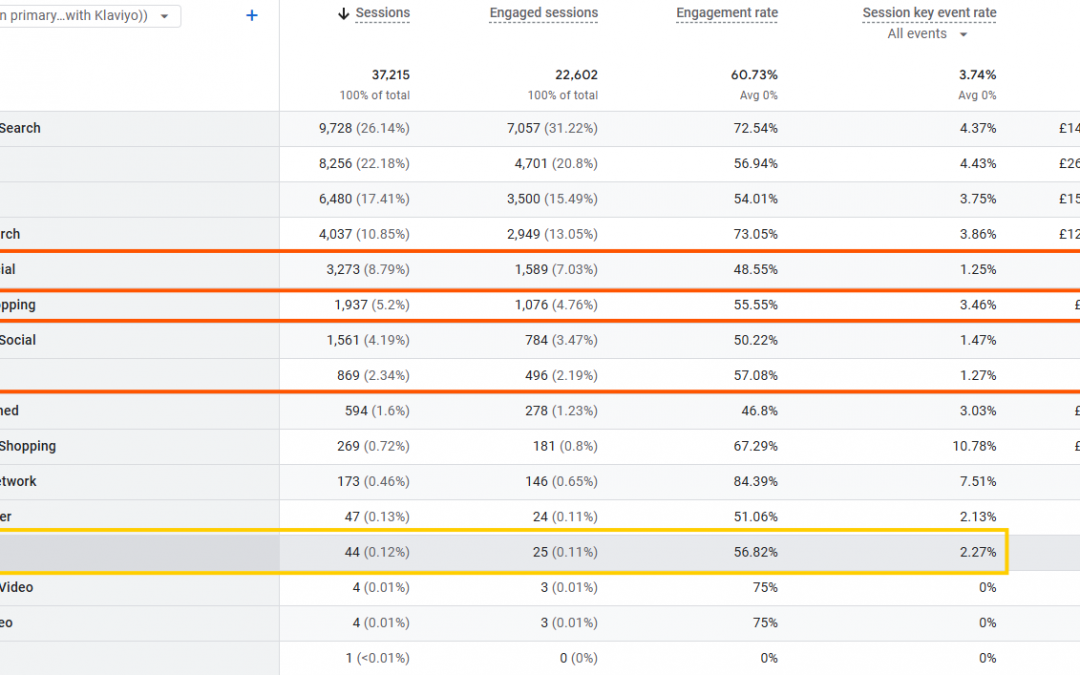
AI tools are starting to show up in ecommerce analytics, but for most sites, the traffic is still small enough to be misleading if you look at it in isolation.
If you want to see AI referrals cleanly in GA4, the quickest way is to group them into a dedicated channel. This takes a few minutes and gives you a single place to benchmark behaviour over time.
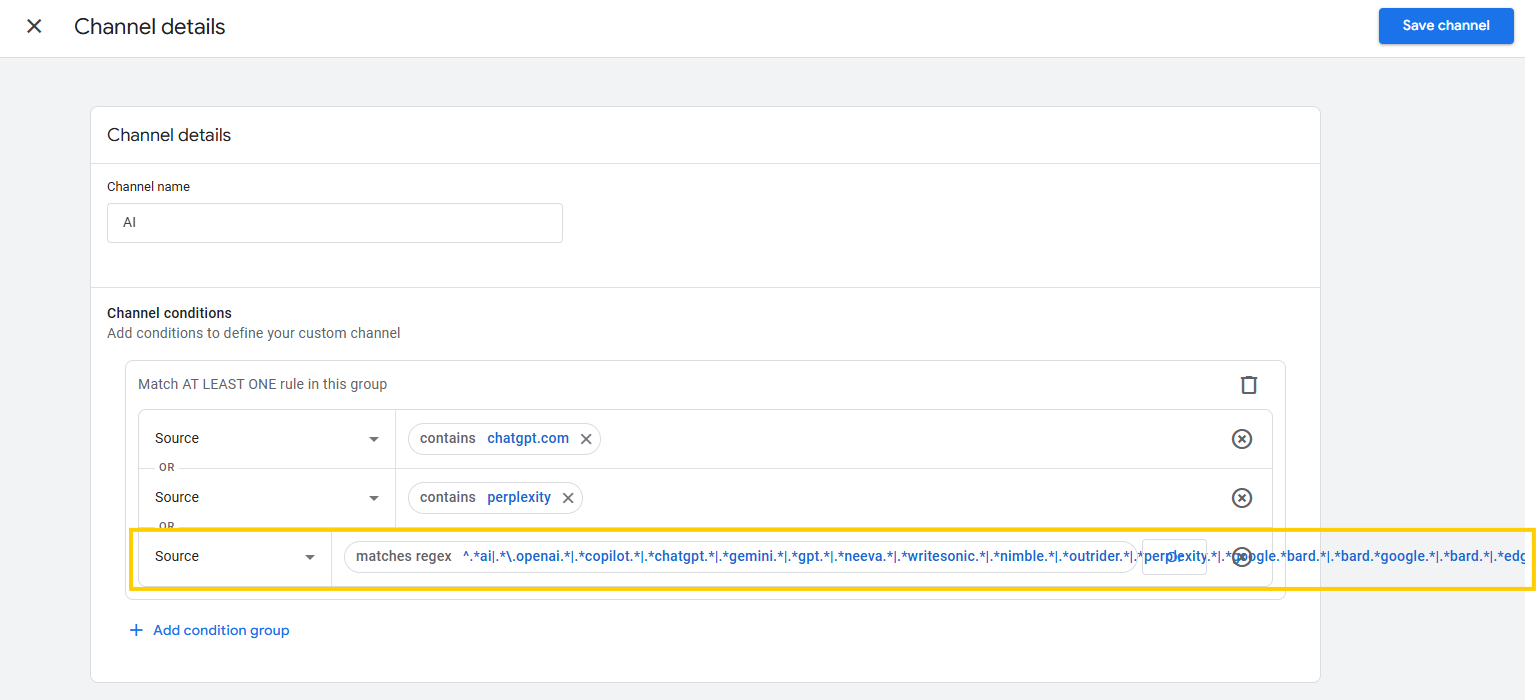
How to set up an AI channel in GA4
- Go to Admin > Data Display > Channel Groups
- Duplicate your default channel group (three little dots > Copy to create new)
- Add a new channel called something like AI
- Set the channel conditions Source matches regex
- Paste the regex below, and save
^.*ai|.*\.openai.*|.*copilot.*|.*chatgpt.*|.*gemini.*|.*gpt.*|.*neeva.*|.*writesonic.*|.*nimble.*|.*outrider.*|.*perplexity.*|.*google.*bard.*|.*bard.*google.*|.*bard.*|.*edgeservices.*|.*astastic.*|.*copy.ai.*|.*bnngpt.*|.*gemini.*google.*$This captures the most common AI assistants and tools in a single channel, rather than scattering them across referral, organic, and direct.
Why it’s worth grouping AI traffic at all
Right now, AI-driven sessions are small for most ecommerce sites, often well under 1% of total traffic.
Because the volume is low, ungrouped data is easy to dismiss or misread. One spike looks meaningful, or the whole thing gets ignored.
Grouping AI traffic gives you a clean baseline.
Instead of asking “is this big or small”, you can ask better questions:
-
Does this traffic behave differently?
- Does it convert at a higher or lower rate?
-
Does it assist conversions even when it’s not the last click?
-
Is its share stable, creeping up, or volatile?
Without a baseline, every future conversation about AI becomes speculative. With one, you can tell whether something has genuinely changed.
What the data usually shows
For most ecommerce sites today:
-
AI traffic volume is negligible compared to organic, email, paid, and direct
-
Conversion rate is often higher than average
-
Assisted journeys are more common than last-click wins
This doesn’t make AI a better channel. It tells us something about intent.
By the time someone clicks through from an AI answer, a lot of filtering has already happened. Questions have been narrowed, comparisons made, and uncertainty reduced.
You only see this pattern clearly when the data is grouped properly.
How this helps inform decisions
The value of this channel isn’t optimisation, it’s diagnosis.
Pages that perform well for AI traffic usually share the same traits:
-
Clear structure
-
Explicit answers to common questions
-
Obvious delivery, returns, and reassurance information
Those are the same traits that help human visitors decide.
Tracking AI traffic properly helps you spot where clarity already exists, and where it doesn’t, without chasing a new channel or rebuilding your site for a trend.
When you should care about this
If your fundamentals are shaky, weak product pages, unclear propositions, poor conversion, this should not be a priority.
This data becomes useful once your core channels are stable and your pages already do a decent job of helping people decide.
At that point, AI traffic becomes an early signal, not a distraction.
What not to do
This is not a reason to rebuild for AI, chase GEO tactics, or deprioritise organic search.
Track AI traffic to stay informed, not to stay busy.
Want more thinking like this?
This post is adapted from Ecommerce, Prioritised, a short weekly newsletter focused on helping ecommerce teams make clearer decisions about growth.
It’s written for Shopify businesses that are growing, but don’t want more tools, tactics, or noise, just better judgment.